warning TESLA MODEL S 2018 User Guide
[x] Cancel search | Manufacturer: TESLA, Model Year: 2018, Model line: MODEL S, Model: TESLA MODEL S 2018Pages: 195, PDF Size: 5.51 MB
Page 31 of 195

Warning: Never use a child safety seat
that has been involved in a collision. Have
the seat inspected or replaced as
described in the child safety seat
manufacturer
Page 35 of 195
Warnings - Tesla Child SeatsWarning: The Tesla built-in rear facing
seats are child restraint systems and are
approved to United Nations ECE
Regulation R44.04 standards for use by
children in Mass Groups II and III,
weighing 15 to 36 kg. These seats must
only be used for children who are
between 3 and 12 years old, and
98 to 135 cm tall, provided the top of the
child
Page 36 of 195
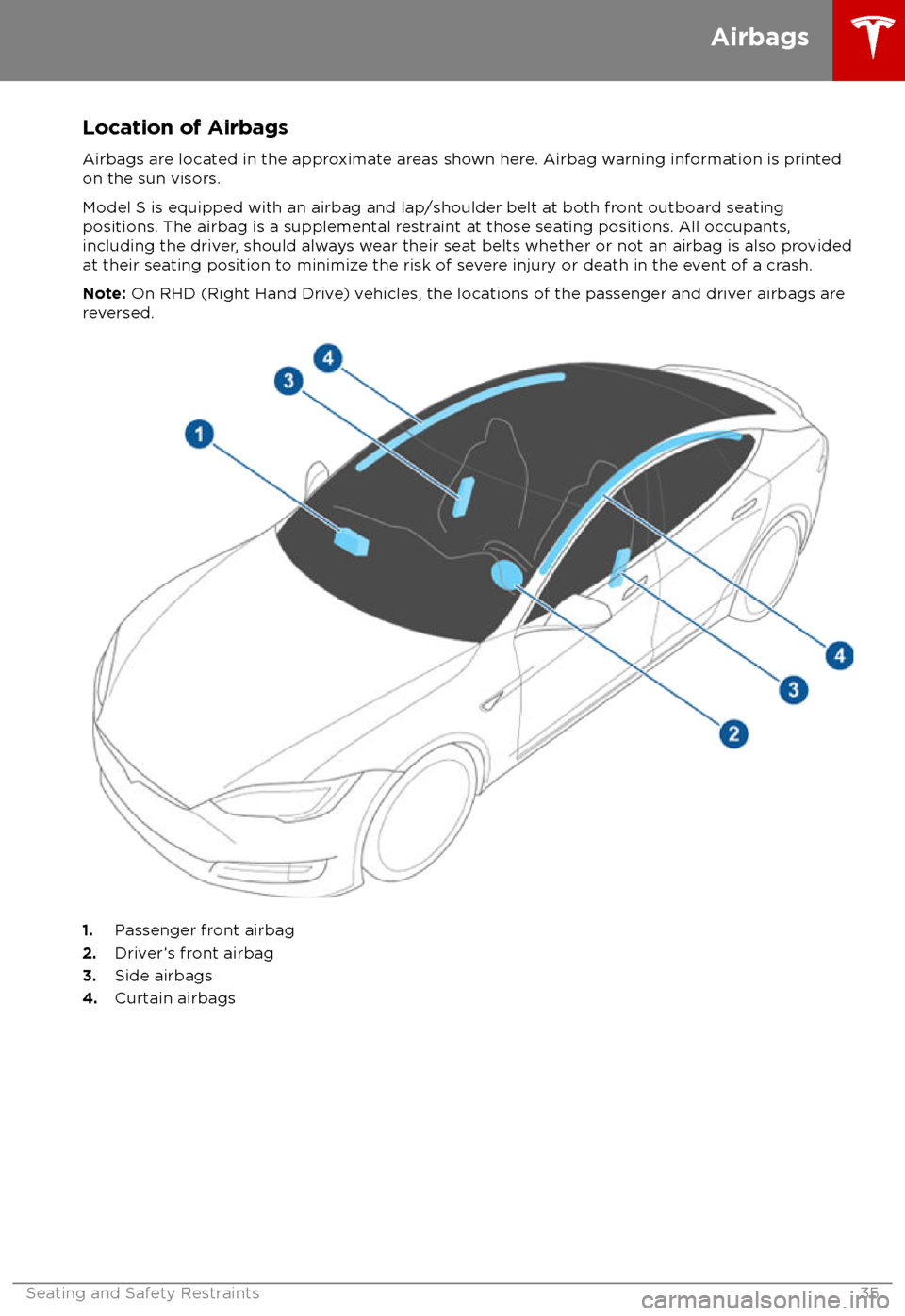
Location of AirbagsAirbags are located in the approximate areas shown here. Airbag warning information is printed
on the sun visors.
Model S is equipped with an airbag and lap/shoulder belt at both front outboard seating
positions. The airbag is a supplemental restraint at those seating positions. All occupants,
including the driver, should always wear their seat belts whether or not an airbag is also provided at their seating position to minimize the risk of severe injury or death in the event of a crash.
Note: On RHD (Right Hand Drive) vehicles, the locations of the passenger and driver airbags are
reversed.
1. Passenger front airbag
2. Driver
Page 38 of 195

Disabling the Passenger Front
Airbags
When a child is seated in the front passenger
seat (even when the child is seated in a child safety seat or booster seat), you must disable
the passenger front airbags to prevent them
from injuring the child if a collision occurs.
Note: Rear seats are the preferred location for
seating children in child safety seats.
To turn
off the front and side airbags on the
passenger side of the vehicle, touch
Controls > Settings > Safety & Security >
Passenger Front Airbag .
The OFF status of the front passenger airbag
displays in the upper right corner of the touchscreen. When the airbag is ON, no status
is displayed on the touchscreen.
If the airbag is on, even if you have turned itoff (or vice versa), contact Tesla immediately.
Note: Model S has a capacitive touchscreen
and may not respond to your touch if you are
wearing standard gloves. If the touchscreen is
not responding, remove gloves or wear gloves
with conductive
fingertips for use with
capacitive touchscreens.
Warning: Never seat a child in a child
safety seat or a booster seat on the front
passenger seat when the airbag is
activated. Doing so can cause serious injury or death.Warning: If the passenger airbag control
does not appear to be functioning, do not
seat a passenger in the front seat.
Contact Tesla immediately to have the
vehicle inspected and if necessary,
repaired.
Inflation Effects
Warning: When airbags inflate, a finepowder is released. This powder can
irritate the skin and should be thoroughly
flushed from the eyes and from any cuts
or abrasions.
After inflation, the airbags deflate to provide a
gradual cushioning effect for the occupants
and to ensure the driver
Page 39 of 195
bags if a collision occurs. It can also
reduce the accuracy of the occupant
detection system, if equipped.Warning: Airbags inflate with
considerable speed and force, which can
cause injury. To limit injuries, ensure that occupants are wearing seat belts and are
correctly seated, with the seat positioned as far back as possible.Warning: Do not use a child safety seat or
seat young children on a seat with an
operational airbag in front of it. Doing so
can cause injury or death if the airbag
inflates.
Warning: To ensure correct inflation of
the side airbags, maintain an
unobstructed gap between an occupant
Page 42 of 195

Adjusting PositionAdjust the steering wheel to the desired
driving position by moving the control on the
left side of the steering column. Using this control, you can move the steering wheel
forward and backward and up and down.Warning: Do not make adjustments while
driving.
Adjusting Sensitivity
You can adjust the feel and sensitivity of the
steering system to suit your personal
preference:
1. On the touchscreen, touch Controls.
2. Choose a steering option:
Page 49 of 195
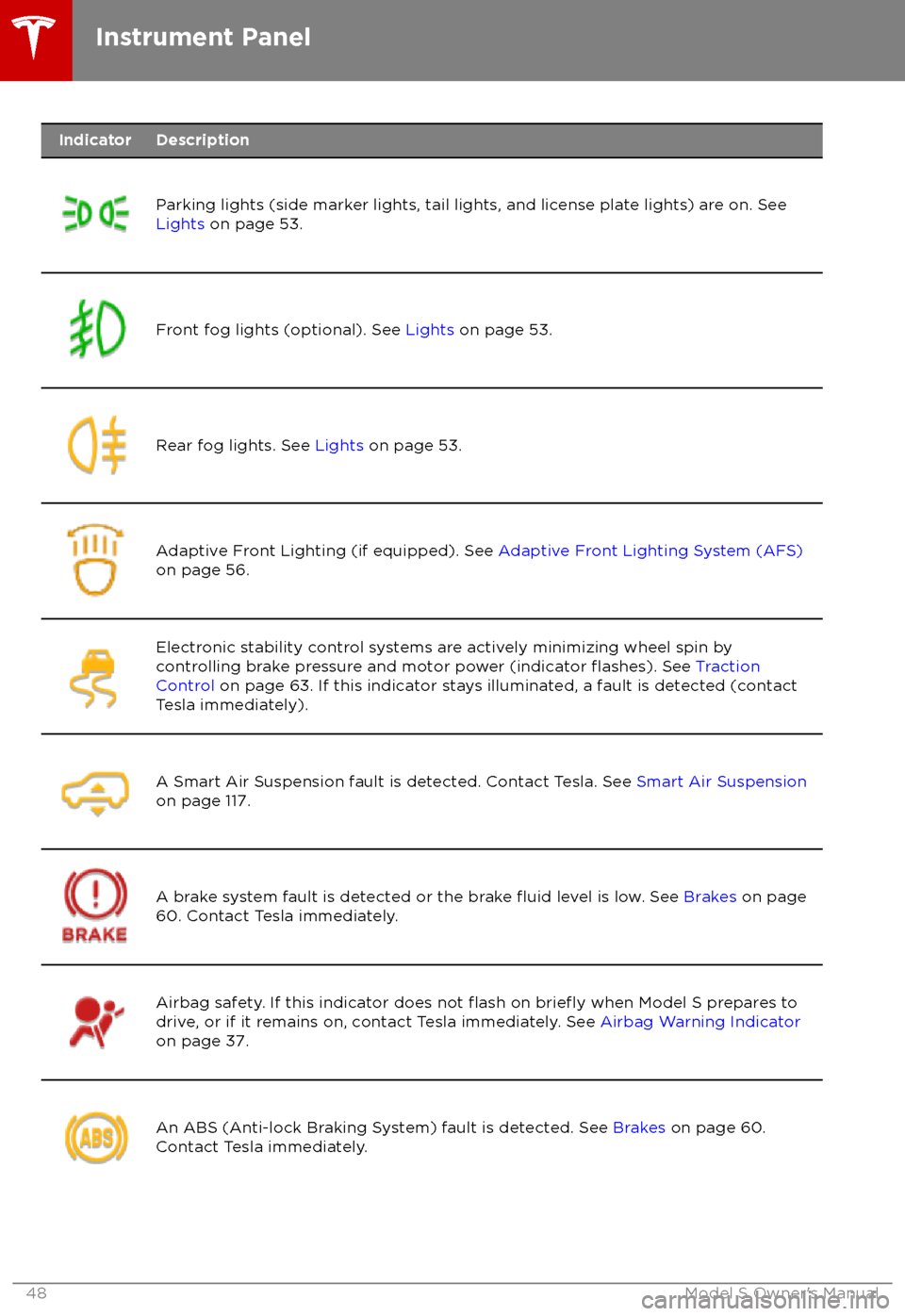
IndicatorDescription
Parking lights (side marker lights, tail lights, and license plate lights) are on. See
Lights on page 53.Front fog lights (optional). See Lights on page 53.Rear fog lights. See Lights on page 53.Adaptive Front Lighting (if equipped). See Adaptive Front Lighting System (AFS)
on page 56.Electronic stability control systems are actively minimizing wheel spin by
controlling brake pressure and motor power (indicator flashes). See Traction
Control on page 63. If this indicator stays illuminated, a fault is detected (contact
Tesla immediately).A Smart Air Suspension fault is detected. Contact Tesla. See Smart Air Suspension
on page 117.A brake system fault is detected or the brake fluid level is low. See Brakes on page
60. Contact Tesla immediately.Airbag safety. If this indicator does not flash on briefly when Model S prepares to
drive, or if it remains on, contact Tesla immediately. See Airbag Warning Indicator
on page 37.An ABS (Anti-lock Braking System) fault is detected. See Brakes on page 60.
Contact Tesla immediately.Instrument Panel
48Model S Owner
Page 50 of 195

IndicatorDescription
The parking brake is manually applied. See Parking Brake on page 61.A parking brake fault is detected. Contact Tesla. See Parking Brake on page 61.Vehicle Hold is actively applying the brakes. See Vehicle Hold on page 66.Tire pressure warning. The pressure of a tire is out of range. If a fault with the Tire
Pressure Monitoring System (TPMS) is detected, the indicator flashes. For a TPMS
fault, contact Tesla. See Tire Care and Maintenance on page 148.A door or trunk is open. See Doors on page 4, Rear Trunk on page 10, or Front
Trunk on page 13.A seat belt for an occupied seat is not fastened. See Seat Belts on page 21.
Note: Depending on the date of manufacture, rear seating positions may not be
equipped with a seat belt reminder.
The front passenger
Page 51 of 195
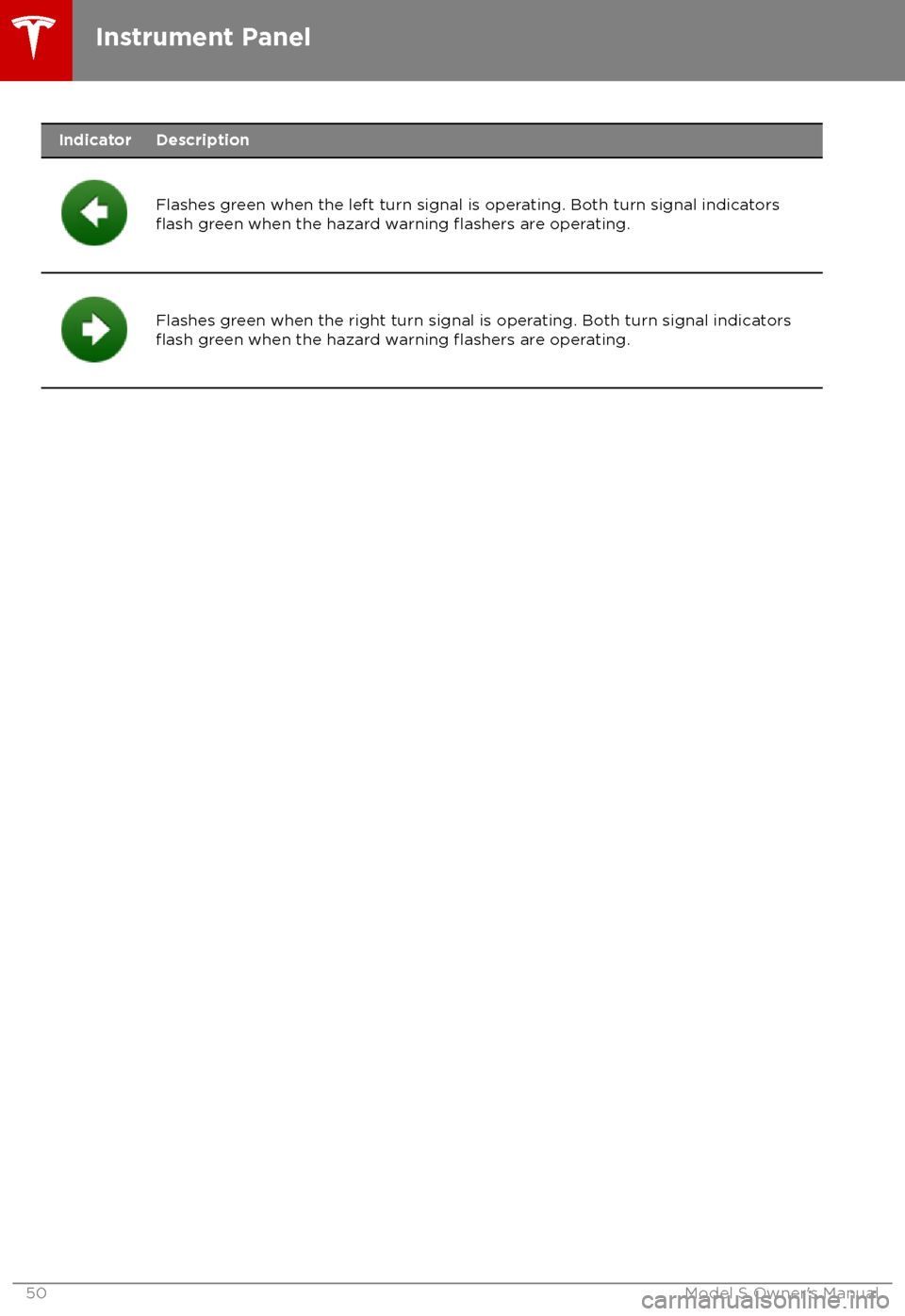
IndicatorDescription
Flashes green when the left turn signal is operating. Both turn signal indicatorsflash green when the hazard warning flashers are operating.Flashes green when the right turn signal is operating. Both turn signal indicatorsflash green when the hazard warning flashers are operating.Instrument Panel
50Model S Owner
Page 56 of 195

6.Exterior lights (headlights, tail lights, side marker lights, parking lights, and license plate
lights) are set to AUTO each time you start Model S.
AUTOExterior lights automatically turn on when driving in low lighting
conditions. If you change to a different setting, lights always revert to this
AUTO setting on your next drive.
Touch one of these options to temporarily change the exterior light setting:
OFFExterior lights turn off until you manually turn them back on or until the
next time you drive Model S. If daytime running lights are required in your
region, the exterior lights used for this purpose do not turn
off.Only the side marker lights, parking lights, tail lights and license plate
lights turn on.Exterior lights turn on.
Note: Model S has a series of lights along the lower rim of the headlights, also referred to as
"signature" lights. These lights automatically turn on whenever Model S is powered on and a driving gear is engaged.
Warning: Always ensure that your headlamps are switched to AUTO or ON, as
appropriate, during all low visibility conditions. Failure to do so may result in a collision.
Lights
Driving55